We're always working to make the PIM Cloud Dashboard faster, smarter, and easier to manage your inspections from your desktop. This update brings a range of practical improvements and new integration support designed to make your workflow smoother — thanks to your feedback!
Faster, Easier Inspection Editing
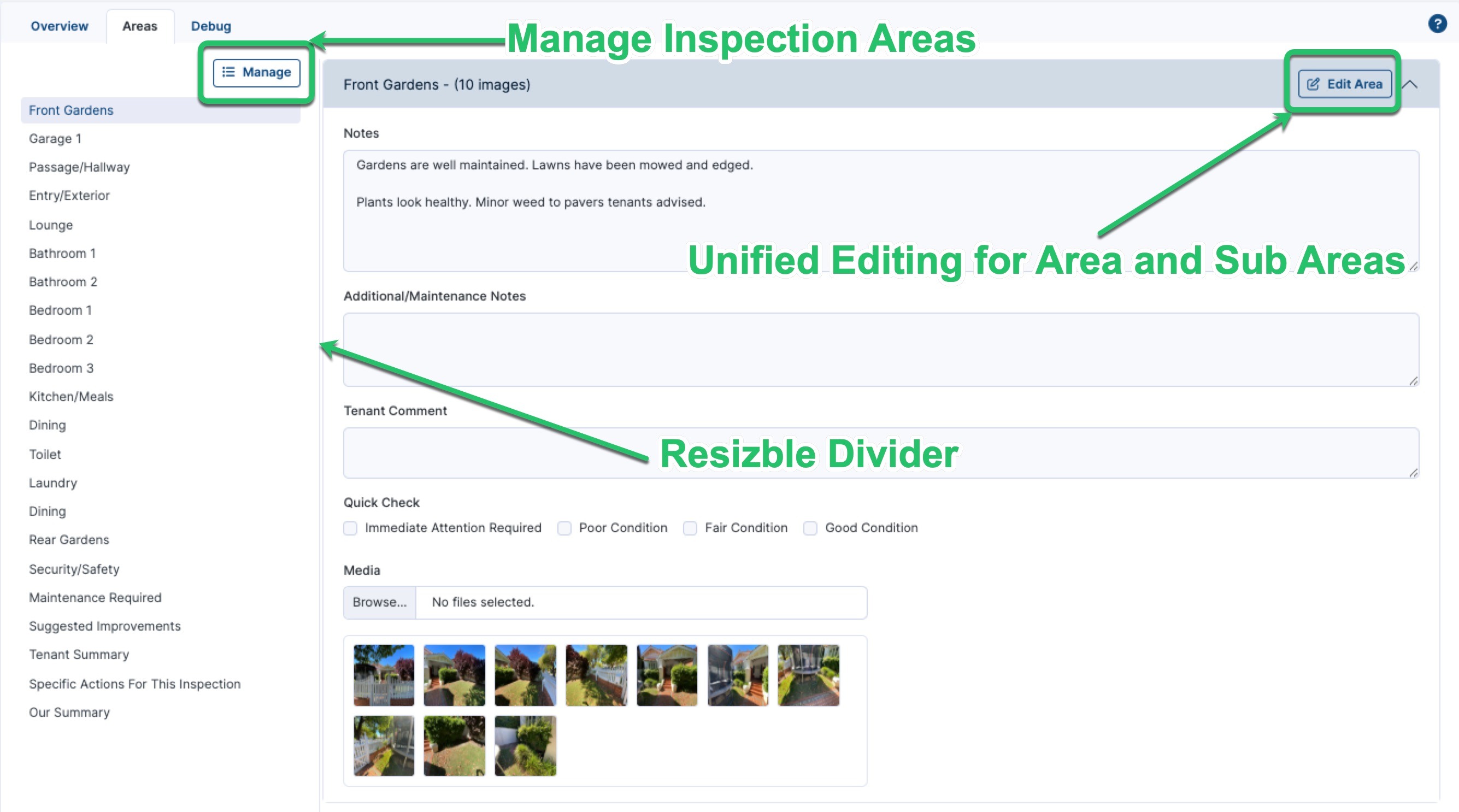
- Editing your inspections is now much quicker and easier. Instead of editing and saving each sub-area one at a time, you can now tap a single Edit button on an Inspection Area and update everything inside it at once — including the area itself and all of its sub-areas. In the same session you can update your notes, additional notes, and Quick Check labels, and add or remove photos right across the area and its sub-areas. The sections you're editing are clearly highlighted as you go, so it's easy to see what you're working on. No more saving after every change or being sent back to the overview each time — just a faster, simpler way to get through your inspections, especially when you've got lots of photos to work through.
- We've also added a divider between the inspection area list and the main notes pane, giving you a cleaner, clearer view while you edit.
Tip: If you don't see the new editing experience straight away, try a force reload of your browser — hold Shift and click the reload button (or press Ctrl + Shift + R on Windows, or Cmd + Shift + R on Mac) to refresh the page fully.
Easier Area Management
- New Manage buttons make it simple to reorder, add, and delete Inspection Areas and Sub Inspection Areas. Reordering is now a clear, intuitive drag-and-drop experience, giving you full control over how your inspection is structured.
Inspection Source at a Glance
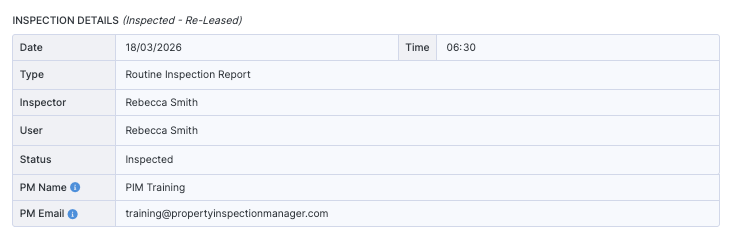
- The Inspection Details view now shows how each inspection was created — for example Manual, Property Tree, Re-Leased, Chintaro, or Cirrus8 — so you can instantly see where an inspection originated without digging through the details.
Cover Photos from the Overview Screen
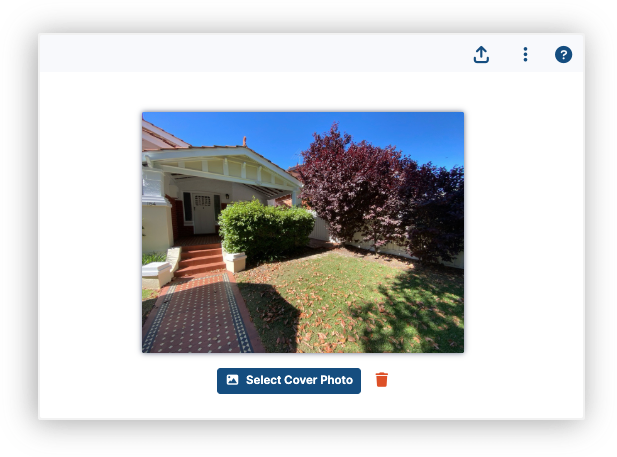
- You can now add a cover photo directly from the inspection overview screen, making it quicker to set the lead image for your reports without navigating away.
Clearer Cirrus8 Error Messaging
- When an inspection has been deleted in Cirrus8, you'll now receive a clearer, more helpful error message so you know exactly what's happened and how to proceed.
Camera Support for Android
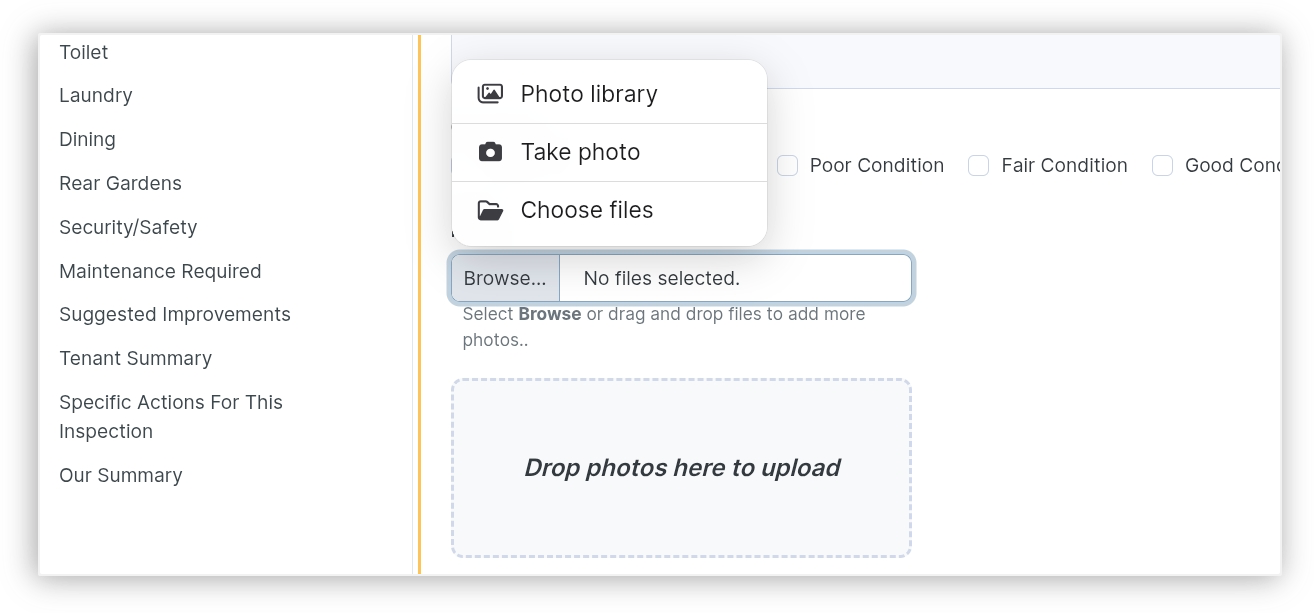
- You can now capture inspection photos directly within the PIM Cloud Dashboard on Android devices, so your whole team can document inspections straight from whatever device they have to hand.
Smoother
- Alongside these updates, this release includes a range of behind-the-scenes refinements to improve reliability and make your everyday experience in the Cloud Dashboard smoother.
Faster management, smarter integrations, and a cleaner workspace — thanks for helping us make PIM better every day! We're always planning new improvements and would love your input on what matters most to you. Your feedback directly shapes the PIM roadmap, so feel free to get in touch anytime.
Visit the latest PIM Cloud Dashboard now!
Was this article helpful?
That’s Great!
Thank you for your feedback
Sorry! We couldn't be helpful
Thank you for your feedback
Feedback sent
We appreciate your effort and will try to fix the article