We’re always working to make PIM faster, smarter, and easier for inspections across all industries. This update brings practical improvements and new features designed to make your workflow smoother - thanks to your feedback!
What’s New in This Update:
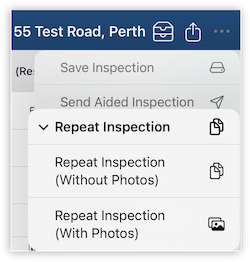
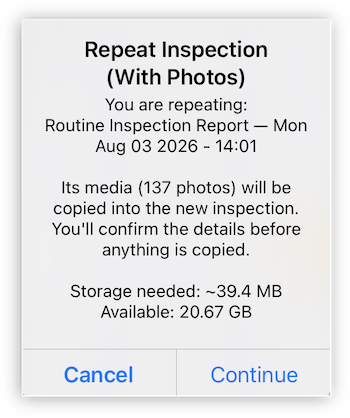
Repeat Inspection with Photos
* Repeat an inspection and bring along its photos, videos, and 360° media — perfect for copying photos between an entry and exit inspection, or setting up multiple identical units. Choose to use the new inspection date or keep the original photo dates, with a clear confirmation before anything is copied, including a storage check to make sure your device has enough space.
A clearer inspection area history
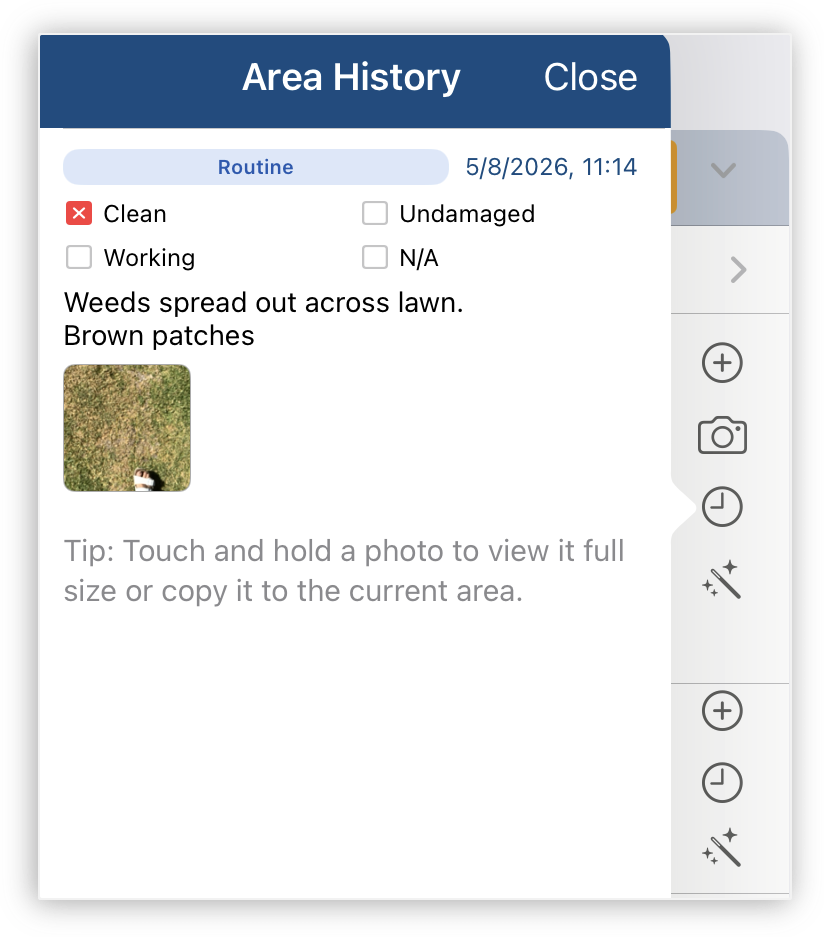
* Area History now shows more than just notes. Each past entry displays the inspection type (Entry, Routine, or Exit), the Clean / Undamaged / Working status recorded at the time, and any photos taken, so you can see exactly what was found and when. Tap the copy icon on any photo to add it straight to your current inspection, no need to retake it if nothing's changed.
Expand and collapse inspection areas
* See your whole inspection at a glance. Expand or collapse all areas at once to quickly check progress, or open individual areas as needed.
AI Assisted Inspections
* The AI feature has also moved into the new "More" menu (•••), alongside handy tools like expand or collapse all areas. To register your interest, reach out via Settings > Advanced.
Improvements
* This update brings a range of behind-the-scenes improvements to make your everyday experience smoother and more reliable. We've also added a Sort option to the Inspection Areas screen, available when changing an existing area or adding a new one. Inspection submissions and report downloads now recover automatically if your connection drops, so you're far less likely to see stuck screens or false "newer version" messages. And fixes for our Property Tree users.
Faster inspections, smarter features, and smoother workflows - thanks for helping us make PIM better every day! We’re planning some exciting new features and would love your input. Tell us which improvements matter most to you - your feedback directly shapes the PIM roadmap. You can get in touch anytime.
Download the Update Now!

Was this article helpful?
That’s Great!
Thank you for your feedback
Sorry! We couldn't be helpful
Thank you for your feedback
Feedback sent
We appreciate your effort and will try to fix the article